Make Us Your Start Page
Step by step guide: iPhone
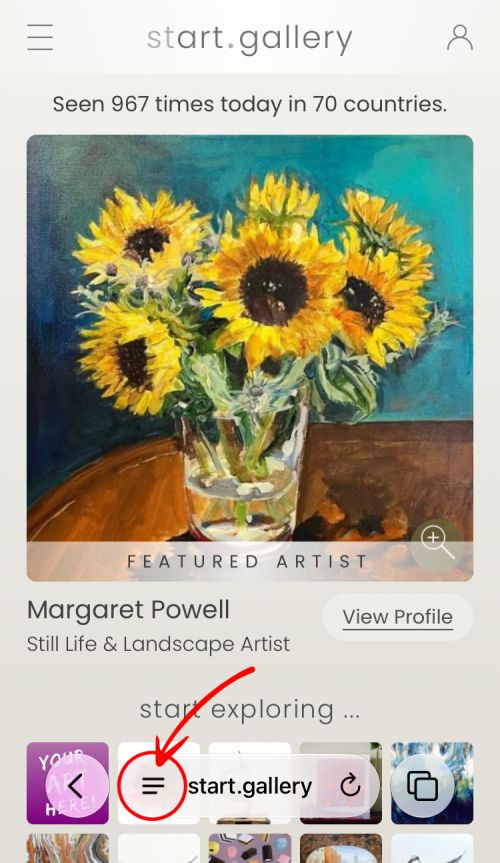
1. Navigate to our front page.
2. Tap the menu symbol in the address bar.
3. Tap 'Share' then tap the 'View More' arrow.
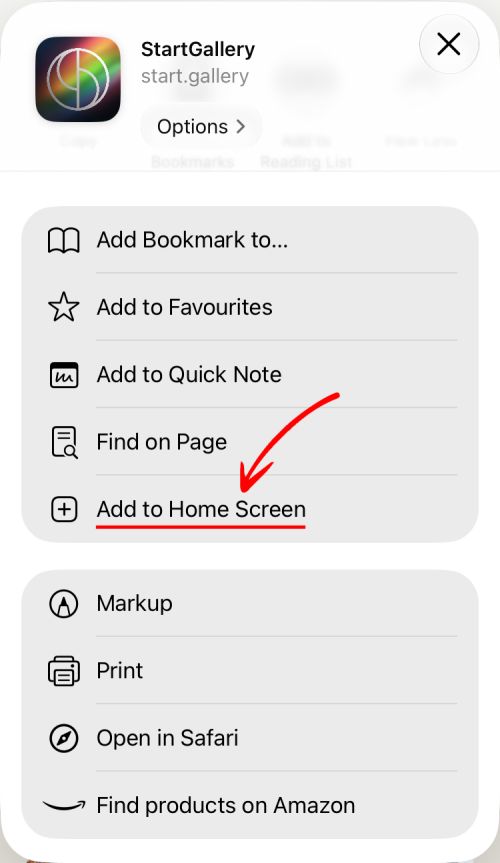
4. Scroll down and tap 'Add to Home Screen'.
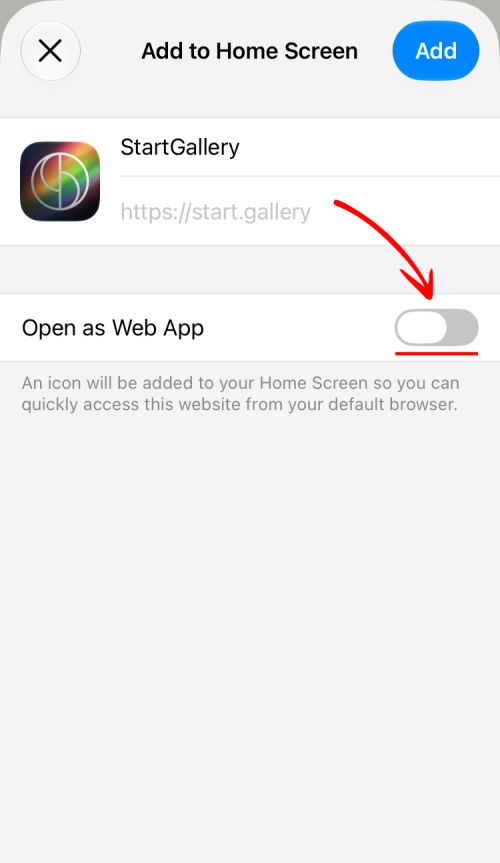
5. Turn off 'Open as Web App', then tap 'Add'.
2. Tap the menu symbol in the address bar.
3. Tap 'Share' then tap the 'View More' arrow.
4. Scroll down and tap 'Add to Home Screen'.
5. Turn off 'Open as Web App', then tap 'Add'.
< back